
GOOGLEFINANCE Function Tutorial: Live Stock Data in Sheets
Google Sheets has a built-in function that pulls stock prices, exchange rates, and historical market data straight into a cell, with no API key and nothing external to manage.
It's called GOOGLEFINANCE, and it's easy to miss if the first instinct for pulling data is a REST call and a script.
This guide covers the syntax, the attributes it can return, why it breaks (and it will... eventually), and how to wire it into something closer to a real portfolio tracker than a single lookup.
The GOOGLEFINANCE syntax
This function takes five arguments, and only the first is required:
=GOOGLEFINANCE("ticker", "attribute", "start_date", "end_date", "interval")ticker: the security symbol, optionally prefixed with an exchange, e.g."NASDAQ:GOOG"or"NYSE:F". Leaving off the exchange usually works for well-known tickers, but it can resolve to the wrong security for anything ambiguous.attribute: what to fetch. Options include"price","high52","volume","pe", and about a dozen others (full list below). Defaults to"price"if left blank.start_date,end_date,interval: only needed for historical lookups. Interval is"DAILY"or"WEEKLY".
A single current-price lookup:
=GOOGLEFINANCE("GOOG", "price")A historical range returns a table instead of one cell:
=GOOGLEFINANCE("GOOG", "close", "1/1/2026", "12/31/2026", "DAILY")The fourth argument also accepts a number of days instead of an end date. This returns 30 days of closing prices from the start date:
=GOOGLEFINANCE("GOOG", "close", "1/1/2026", 30, "DAILY")Sheets auto-expands that into a two-column date/close table, and what would normally be a fetch-and-parse script turns into one formula.
No loop, no pagination, no rate-limit handling to write.
Is there a Google Finance API? What to use instead
Not in the way most people mean when they search for one.
Google shut down its official Finance API in 2012. No REST endpoint, no JSON response, no key to request. Searching "Google Finance API" still turns up plenty of results, but a lot of them are scraping tools charging for access to data Google never officially exposed, or old posts describing an API that no longer exists.
GOOGLEFINANCE, the Sheets function this guide covers, isn't that API. It's a formula built into Google Sheets that happens to pull from the same underlying data. No key, no endpoint, no request limits to track. If the goal is getting stock data into a spreadsheet, this is the actual answer. If the goal is getting stock data into a script or app, GOOGLEFINANCE can still work as an intermediary (more on that in the FAQ below), but it was never built to be called like an API.
That documentation doesn't exist to find. It was deprecated over a decade ago.
The official API is gone, so the options come down to three. GOOGLEFINANCE covers anything that can live in a spreadsheet. The Google Sheets API (covered below) pulls that sheet into a script. A dedicated market-data API, such as Alpha Vantage or Twelve Data, fits anything that needs more than a lookup function offers. Free-tier limits on those change, so check the current terms before building on one.
What GOOGLEFINANCE can return
The attribute argument accepts a defined list of fields. This covers most portfolio-tracking use cases:
| Attribute | Returns |
|---|---|
price | Current market price, up to 20 minutes delayed (the default if no attribute is given) |
priceopen | Price at market open |
high / low | Current day's high/low |
high52 / low52 | 52-week high/low |
closeyest | Previous day's closing price |
change / changepct | Price change and percent change since the previous close |
volume / volumeavg | Current day's trading volume and average daily volume |
pe | Price-to-earnings ratio |
eps | Earnings per share |
marketcap | Market capitalization |
shares | Number of outstanding shares |
beta | Beta value |
tradetime / datadelay | Time of the last trade, and how far behind the data is |
currency | Currency the security is priced in |
Those are the current-value attributes in Google's documentation. A date argument switches the function to historical mode, which accepts open, close, high, low, volume, and all instead. Google also notes that some attributes may not return results for every symbol, so test the ones a tracker depends on in a live sheet. The gaps matter more than the list: no dividend yield, no analyst ratings, no options chains or options data, no full financial statements. A search for options data won't find it here.
If the use case needs those, GOOGLEFINANCE is the wrong tool. It's a lookup function, not a data provider.
Use GOOGLEFINANCE data in Python with gspread
GOOGLEFINANCE only runs inside Sheets, so Python never calls it. The sheet calculates the value and the script reads the result back through the Google Sheets API. The gspread library wraps that API in a few calls.
Setup is a one-time chore: enable the Google Sheets API in a Google Cloud project, create a service account, download its JSON key, and share the sheet with the service account's email address.
import gspread

gc = gspread.service_account(filename="service_account.json")
ws = gc.open("Portfolio").sheet1

# Write the formula once. USER_ENTERED makes Sheets evaluate it.
ws.update_acell("C2", '=GOOGLEFINANCE("NASDAQ:GOOG", "price")', value_input_option="USER_ENTERED")

# Read the calculated result back.
print(ws.acell("C2").value)
The script reads whatever the sheet currently shows. A freshly written formula can briefly return #N/A or a loading value, and an outage on Google's side shows up in Python as bad data, so check the value before using it. This only works for current-value attributes: Google documents that historical GOOGLEFINANCE data requested through the Sheets API or Apps Script returns #N/A. For a fuller script that tracks a whole portfolio, see DevsInvest's guide to tracking a portfolio with a Python script.
GOOGLEFINANCE examples: AAPL, stock codes, and index tickers like VIX
The syntax above covers the general case, but three lookups come up often enough to walk through directly: a single well-known stock, a less obvious stock code, and an index.
A straightforward AAPL price lookup
=GOOGLEFINANCE("AAPL", "price")returns Apple's current price with no exchange prefix needed. AAPL only trades on one major exchange, so there's nothing for Sheets to disambiguate. The safer version still adds it:
=GOOGLEFINANCE("NASDAQ:AAPL", "price")and costs nothing extra to type. For a one-off lookup the short form is fine, and for anything added to a tracker and left running for months, the prefixed version is worth the few extra characters.
What counts as a "stock code" here
The ticker argument is the stock code, and GOOGLEFINANCE reads it the way a brokerage search box does, not the way a search engine does. A company name like "Apple" returns an error, while the code, "AAPL" or "NASDAQ:AAPL", doesn't. Dual-listed stocks and ADRs are where a code gets ambiguous fastest, since the same company can trade under different codes on different exchanges. The exchange prefix from the syntax section above is the fix, the same one that solves the silent wrong-security match described below.
Index tickers, like VIX, work differently
An index isn't a company, so it doesn't carry a normal stock ticker, and =GOOGLEFINANCE("VIX", "price") on its own returns an error rather than the volatility index value. Indexes need their own prefix instead:
=GOOGLEFINANCE("INDEXCBOE:VIX", "price")The same pattern covers other major indexes: INDEXSP:.INX for the S&P 500, INDEXDJX:.DJI for the Dow. A ticker like VIX returning an error usually means the prefix is missing, not that the index itself is unsupported. The Yahoo-style form, ^VIX, doesn't work here either.
Tracking SPY and S&P 500 exposure
SPY is an ETF, so it takes a normal ticker: =GOOGLEFINANCE("NYSEARCA:SPY", "price"). The index it follows needs the index prefix: =GOOGLEFINANCE("INDEXSP:.INX", "price"). The two prices differ because SPY trades at roughly a tenth of the index level, so use the ETF for the price of a share and the index for the benchmark.
Why GOOGLEFINANCE breaks
Most tutorials skip past this on the way to selling a paid alternative. Search "GOOGLEFINANCE not working" and the results are mostly complaints. It fails often enough that it's worth treating as expected behavior, not an edge case.
#N/A on a valid ticker
This is usually one of three things:
- The ticker needs an exchange prefix.
- The security type isn't supported (mutual funds, some OTC listings, and most international exchanges aren't covered).
- The market for that exchange is closed and the function hasn't cached a value yet.
Try the exchange-prefixed version first, "NASDAQ:GOOG" instead of "GOOG", before assuming the ticker itself is unsupported.
Delayed or stale data
It won't always be real-time for every exchange. It can be delayed 15 to 20 minutes, and the sheet will show a message when that delay applies. Google's documentation also says most international exchanges aren't supported, and the ones that are can lag even more than that, so don't plan on building anything that requires tick-level freshness.
Treat GOOGLEFINANCE like a cache with an undocumented TTL: fine for a dashboard, not fine for anything time-sensitive.
Bottom line: don't build HFT applications with it or put serious money on the line!
Errors that only show up sometimes
Google's financial data backend has outages and hiccups like any other service, but there's no status page and no changelog for it, so there's no official way to check if GOOGLEFINANCE is down before assuming the mistake is yours. A formula that worked yesterday and breaks today with no changes on the sheet is very likely not a formula problem. Rechecking in an hour before debugging syntax that hasn't changed tends to save the most time.
Silent wrong-security matches
Ambiguous tickers without an exchange prefix can resolve to the wrong company entirely, and the sheet won't flag it. It'll just show plausible-looking numbers for the wrong stock. Prefixing the exchange for anything tracked long-term avoids this.
None of this makes GOOGLEFINANCE unreliable the way an unmaintained npm package is unreliable. It's a free tool with the failure modes you'd expect from a free tool, and once the shape of those failures is familiar, they're easy to work around instead of debugging from scratch every time.
Building a lightweight portfolio tracker
A single price lookup is a demo. A tracker is a small system, and it's worth building like one: a defined schema, a computed layer on top, and a clear separation between the two so a broken formula in one row doesn't take down the sheet.
This kind of small tooling project fits naturally alongside DevsInvest's broader approach to investing as a developer: applying the same structure you'd use in production code to a personal finance problem.
The same idea works outside Sheets too. For a Python-script version of the same tracker, see DevsInvest's guide to tracking a portfolio with a Python script.
Set up the base table
One row per holding, with a ticker column and a shares-owned column as the only manual inputs:
| Ticker | Shares | Price | Value | Day Change % |
|---|---|---|---|---|
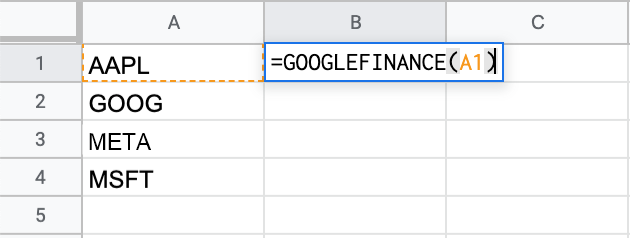
| NASDAQ:GOOG | 10 | =GOOGLEFINANCE(A2,"price") | =B2*C2 | =GOOGLEFINANCE(A2,"changepct") |
Everything past the first two columns is derived, the same principle as keeping computed fields out of a source-of-truth data model. If GOOGLEFINANCE fails for one row, the failure stays isolated to that row's derived cells instead of touching the underlying holding data.
Wrap volatile lookups in IFERROR
A single bad ticker or a transient outage shouldn't take down the whole sheet:
=IFERROR(GOOGLEFINANCE(A2,"price"), "check ticker")This is the spreadsheet version of a try/catch around a flaky external call. Cheap to add, and it turns a silent #N/A into something actually actionable.
Total with SUM, not a manual add
=SUM(D2:D20) on the Value column gives a running total that updates every time a price cell refreshes, no re-entry needed as holdings get added or removed.
Refresh cadence isn't something you control directly
GOOGLEFINANCE recalculates on Sheets' own recalculation schedule (on edit, on a timed interval, or on open), not on an explicit refresh call. A guaranteed refresh at a specific time is a job for Apps Script's time-driven triggers, a reasonable next step once a static tracker stops being enough.
Frequently asked questions
Why does GOOGLEFINANCE show #N/A for a valid ticker?
Usually one of three things: the ticker needs an exchange prefix (like NASDAQ: or NYSE:), the security type isn't supported (mutual funds, some OTC listings, and most international exchanges aren't covered), or the market for that exchange is closed and the function hasn't cached a value yet.
Is GOOGLEFINANCE data real-time?
Not always. It can be delayed 15 to 20 minutes depending on the exchange, and most international exchanges aren't supported at all, with the ones that are lagging even more. Fine for a dashboard, not for anything that needs tick-level freshness.
Why did a GOOGLEFINANCE formula stop working with no changes to the sheet?
Google's financial data backend has outages and hiccups like any other service, with no status page or changelog to check. A formula that worked yesterday and breaks today with no changes is very likely not a formula problem. Rechecking in an hour before debugging syntax tends to save the most time.
Can GOOGLEFINANCE return data for the wrong stock?
Yes. Ambiguous tickers without an exchange prefix can resolve to the wrong company entirely, and the sheet won't flag it, it'll just show plausible-looking numbers for the wrong security. Prefixing the exchange avoids this for anything tracked long-term.
Does GOOGLEFINANCE work for cryptocurrency?
For major coins, yes: =GOOGLEFINANCE("CURRENCY:BTCUSD") returns a Bitcoin/USD rate the same way a stock ticker would. Coverage is thinner than stocks and mainstream currency pairs, so don't expect every token to resolve.
Can I use GOOGLEFINANCE outside of Google Sheets, like in Python?
Not directly. It's a Sheets-only formula, not an API endpoint. The common workaround is building the lookup in a sheet, then pulling that sheet's data into a script via the Google Sheets API, a legitimate, documented API, unlike the defunct Google Finance one. That adds a layer of indirection most projects don't need until GOOGLEFINANCE alone stops being enough. See the gspread section above for a working example.
Is the Google Finance API free?
There is no Google Finance API to pay for or use. Google shut it down in 2012. GOOGLEFINANCE inside Google Sheets is free and needs no key, and the Google Sheets API that reads it into a script is free within its usage quotas.
How do I get GOOGLEFINANCE data in Python?
Write the formula into a sheet, then read the calculated cell back with the Google Sheets API, for example through the gspread library. GOOGLEFINANCE can't be called from Python itself.
Why does GOOGLEFINANCE return a table instead of one value?
That happens automatically when a historical date range is passed as an argument instead of a single value. GOOGLEFINANCE returns one cell for a current-price lookup and an expanding table for a historical range, same function, different output shape depending on the arguments.
Is GOOGLEFINANCE data accurate enough to trade on?
No. It's delayed, occasionally wrong on ambiguous tickers, and has no uptime guarantee. Fine for tracking a personal portfolio or running a backtest input. Not something to build a real-time trading decision on.
When to reach for something else
GOOGLEFINANCE is the right default until it isn't. It stops being enough once a project needs intraday tick data, options chains, fundamentals beyond P/E and EPS, or reliability guarantees a free, undocumented function can't offer.
At that point, a dedicated market-data API with a documented SLA is the honest move, not a workaround bolted onto a formula that was never built for it. The same applies to professional use: Google's documentation says it may require third-party data licensing, which GOOGLEFINANCE doesn't provide.
For everything short of that, a personal portfolio dashboard, a quick backtest input, or a way to check today's numbers without five brokerage tabs open, GOOGLEFINANCE does the job for free. And it's already installed.